

If you don't close it
- BukNau still shows the room as free that night
- A traveller can book it
- Two guests arrive for one room
When you close it
- That night stops being sold straight away
- Nobody can book it on BukNau
- Bookings already made are not touched
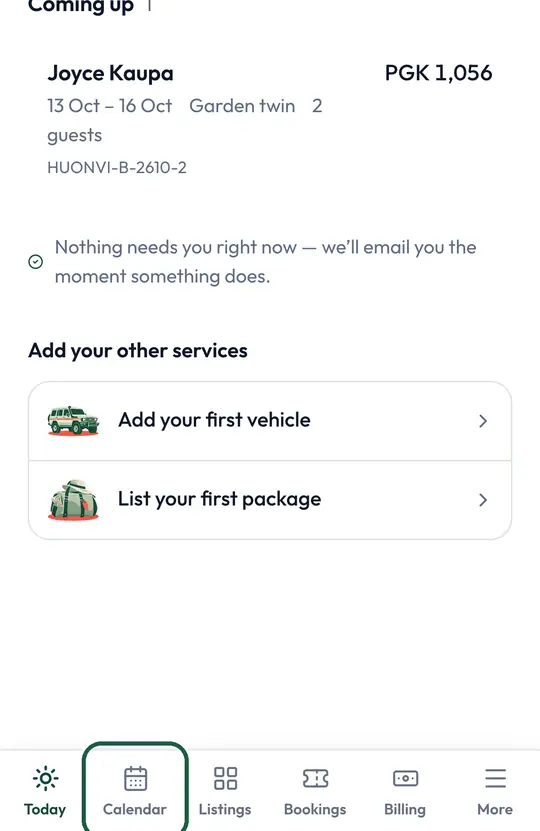
Step 1 of 3.
Tap “Calendar” at the bottom of the screen
Every booking from BukNau is already on it.
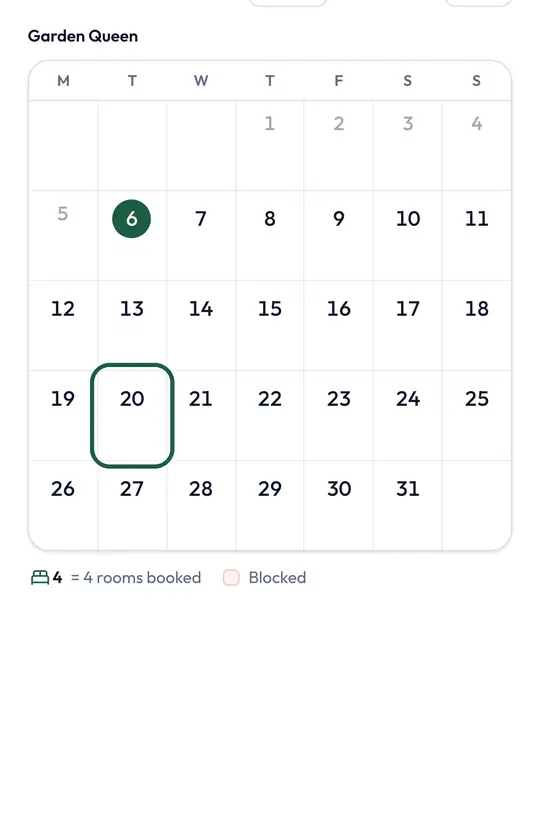
Step 2 of 3.
Tap the first day you want to close
Pick days you sold by phone or walk-in, or days you are shut.
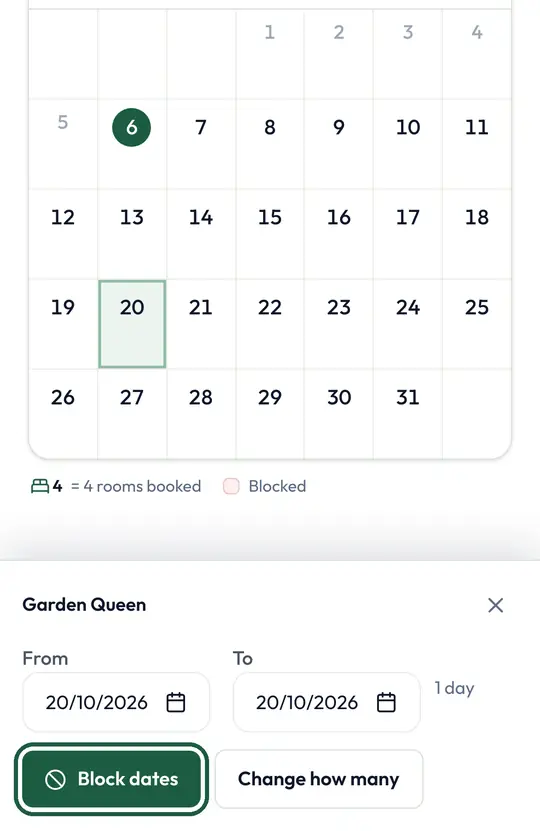
Step 3 of 3.
Check the dates and tap “Block dates”
Those days stop being sold straight away.
Good to know
- Bookings made on BukNau close their own dates. You only close what you sold another way.
- Close a boat and its charters stop selling that day. Close one vehicle and the others keep taking transfers.
- Boat chartered in another town for a few days, like a fishing comp? Select those days on the boat, tap “Away on these days” and pick that town's charter. It sells only on those days, and the boat's other charters close.

 Talk to a person