
1 min
How do I book, and who do I pay?
Find a place, book it, and pay the operator straight into their bank account.
Book
Pick your dates and book. They are held for 30 minutes while you pay.
Pay the business
By bank transfer, straight into their account, with your booking reference.
Reserved
Tap “I've paid”. Your dates stay held while they check their bank.
Confirmed
They see your money and confirm. You get an email.
Step 1 of 10.
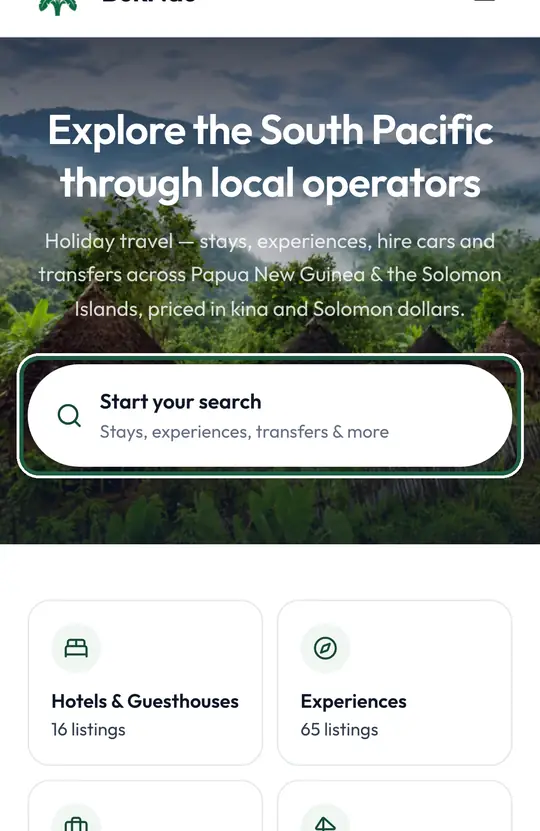
Tap “Start your search”
Search shows only places you can book now, at today's price.
Step 2 of 10.
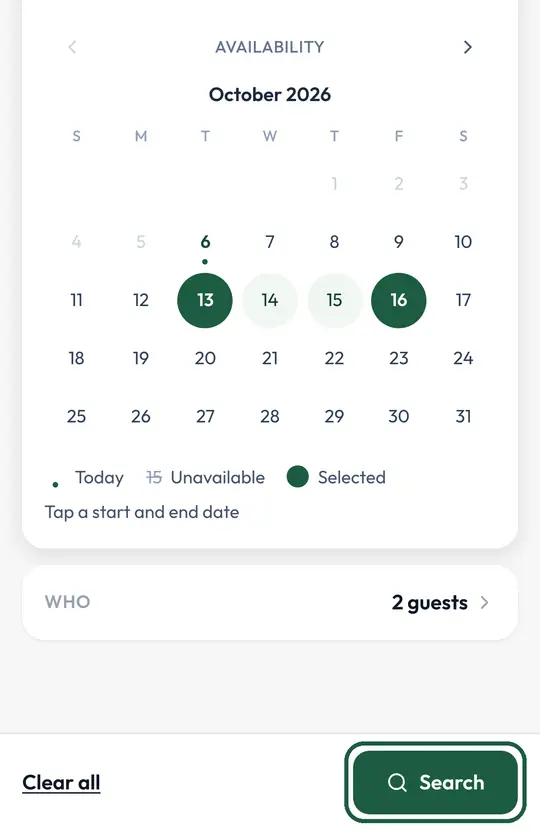
Pick the town and your dates, then tap “Search”
Prices depend on dates, so every result shows the real price for your stay.
Step 3 of 10.
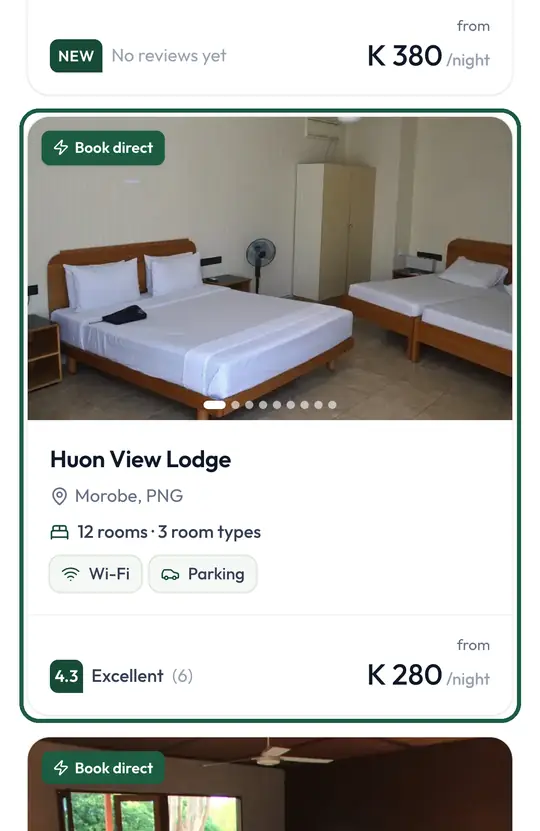
Open a place
Its page shows the rooms, photos, reviews and what is included.
Step 4 of 10.
Tap + on the room you want
The room goes into your trip, so you can add more before you book.
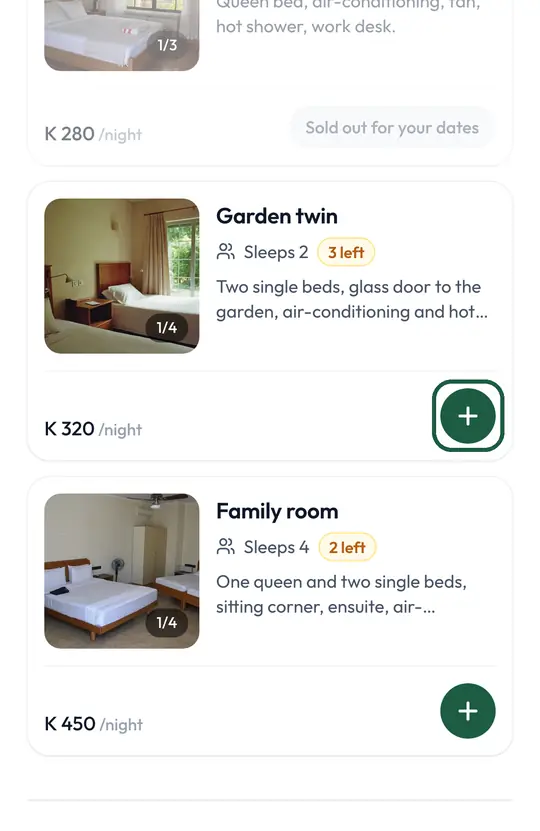
Step 5 of 10.
Check the total, then tap “Check out”
This is what you will pay, tax included.
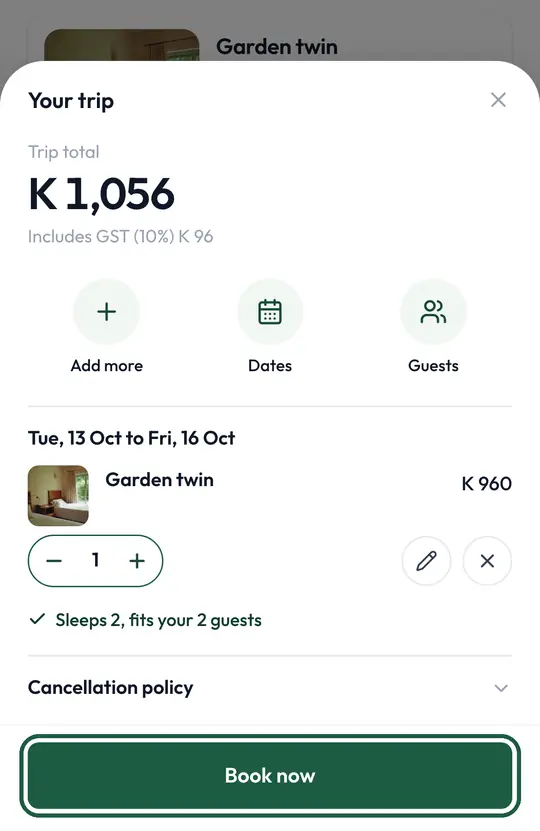
Step 6 of 10.
Check your details and tap “Reserve and pay”
Your dates are held for 30 minutes while you pay.
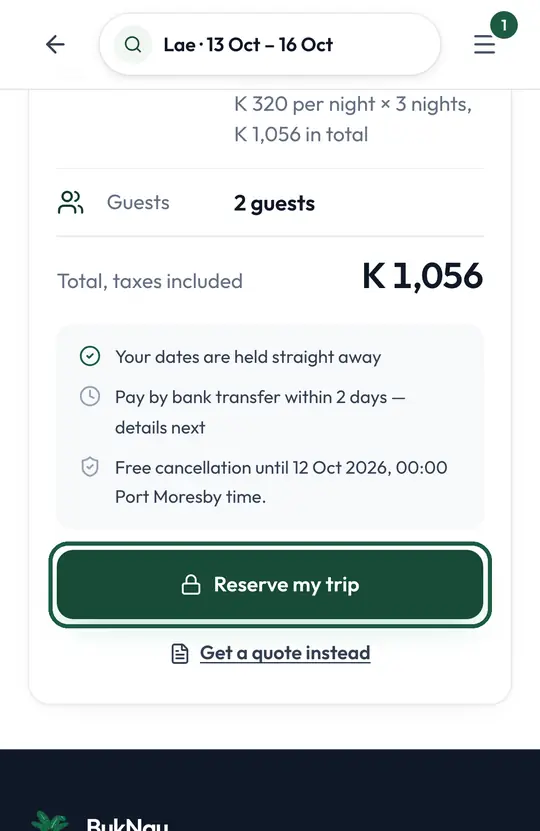
Step 7 of 10.
Transfer the amount to the operator's bank account
Put the booking reference on your transfer, so the operator can match your money to your booking.
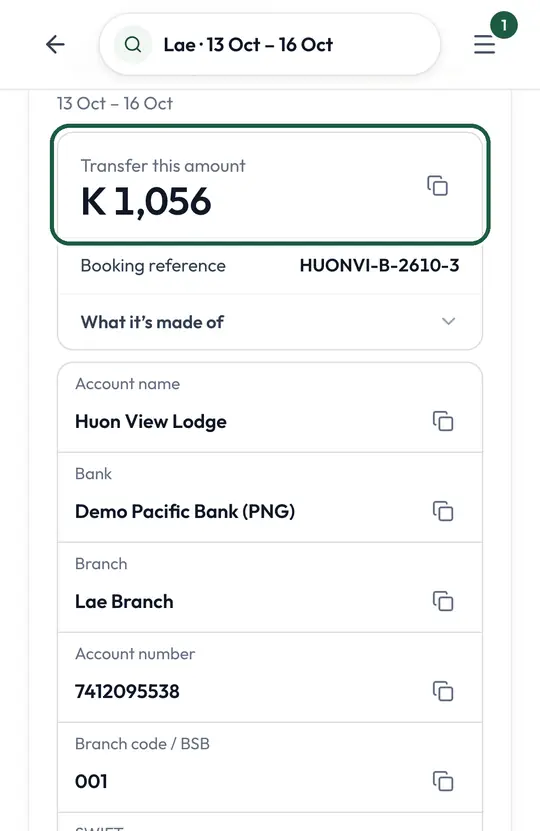
Step 8 of 10.
Type your receipt number and tap “I've paid”
This tells the operator to look for your money, and keeps your dates held while they check.
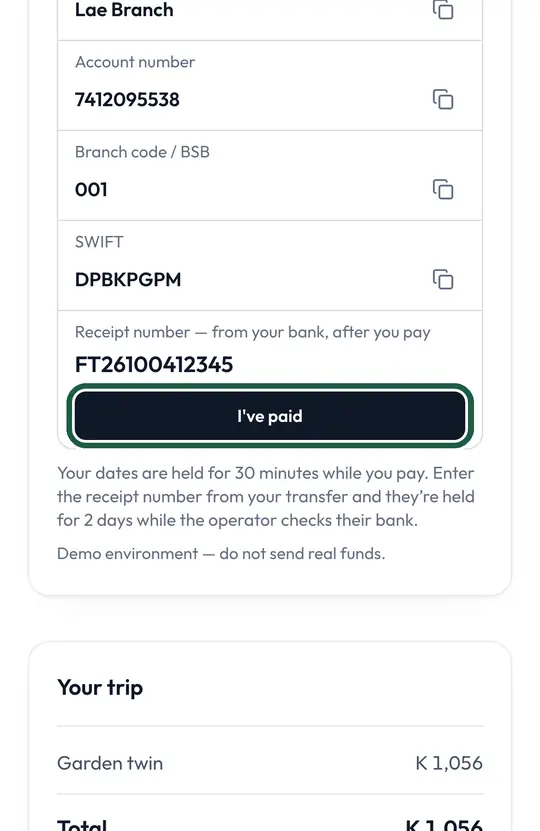
Step 9 of 10.
Your trip is reserved
The operator checks their bank. You get an email the moment they confirm.
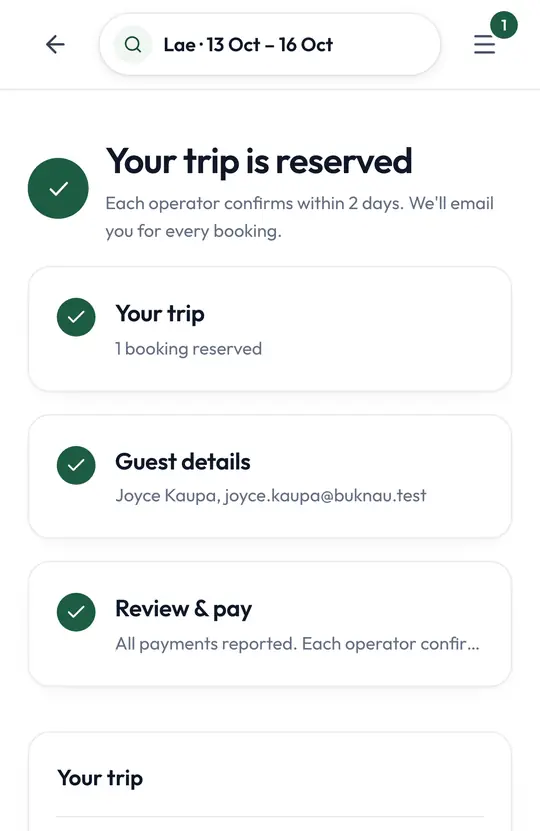
Step 10 of 10.
When the operator confirms, it says “Confirmed”
Your booking, invoice and receipt stay in My Trips, so you never need to search your email.
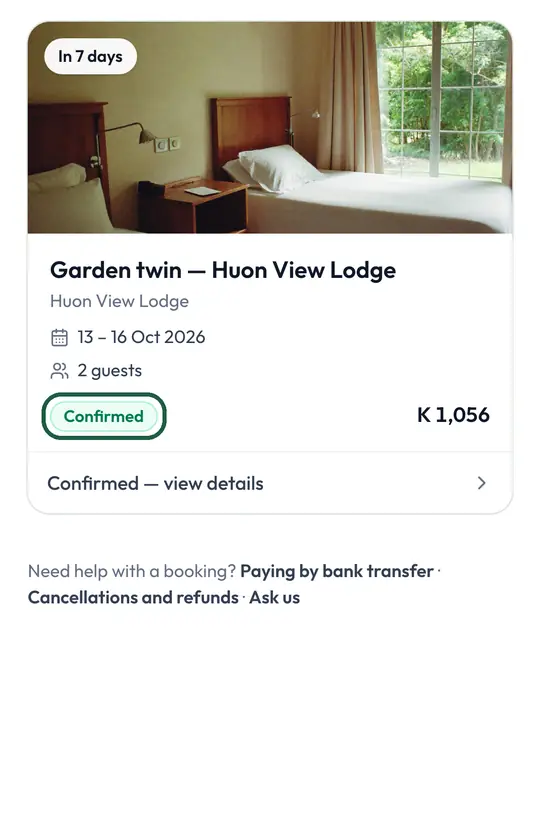
Good to know
- No waiting for a reply. If it is on BukNau, it can be booked.
- You pay the business. BukNau never holds your money and never asks you to pay BukNau.
- Your booking, bank details and receipt are all in My Trips.

Talk to a person
 Talk to a person
We read every message. Ask about a booking, tell us something isn’t working, or share an idea. We reply by email, phone or WhatsApp, usually within a working day.
Or email support@buknau.com